Automate dialing and call control from your computer using customizable hotkeys and number history
Automate dialing and call control from your computer using customizable hotkeys and number history
Vote (18 votes)
Program license Trial version
Developer Infonautics GmbH
Version 1.12.05.10
Works under Windows
Vote
(18 votes)
Developer
Infonautics GmbH
Works under
Windows
Program license
Trial version
Version
1.12.05.10
Pros
- Efficient phone control directly from a PC
- Customizable hotkey support improves workflow speed
- Direct dialing from any text or clipboard input
- Redial and call history functionality
- Supports both RS-232 phones and compatible modems
- Complete feature trial before purchasing
Cons
- Limited to Windows XP/Vista/7 (not compatible with modern operating systems)
- Requires legacy hardware (rare in current setups)
- User interface may feel outdated
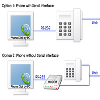
Dial phone numbers from your Windows PC through an RS-232 connected telephone.
Overview
Phone Dial by PC offers a convenient way to manage outgoing and incoming calls directly from a Windows computer, using a telephone attached via an RS-232 serial port. Designed with office and support environments in mind, this utility simplifies the dialing and call management process for users who rely on legacy telephony equipment.
Key Features
Comprehensive Serial Phone Control
The core function of Phone Dial by PC is to operate a physical telephone or compatible modem connected through classic COM ports (COM1-COM4) using the RS-232 standard. The software is compatible with Windows XP, Vista, and 7, making it suitable for setups still utilizing older hardware and systems.
Efficient Hotkey Integration
A major strength is the ability to assign customizable keyboard shortcuts to frequently used commands—such as dialing, re-dialing, answering, and ending calls. This feature significantly speeds up phone operations, especially for users handling many calls or multitasking between applications.
Direct Dialing from Any Application
Users can highlight a phone number in nearly any program and instantly dial it through the connected phone, removing the need to type or manually input the number. Additionally, numbers can be dialed directly from the clipboard, streamlining workflows and minimizing the risk of dialing errors.
Redial and Call History
Phone Dial by PC maintains a history of the last 10 dialed numbers, making it easy to return calls without unnecessary searching. The redial function is particularly helpful for busy environments where numbers are frequently reused.
Answer and End Calls by Hotkey
Incoming calls can be answered or terminated with a simple hotkey press, allowing for fast and distraction-free call management right from the computer.
Flexible Modem Support
For phones lacking an RS-232 serial interface, the software can send commands to a modem connected in parallel, providing an alternative for broader hardware compatibility.
User Interface and Operation
The interface is straightforward, prioritizing clear access to dialing functions and history without unnecessary complexity. The software is designed for practicality, with commands accessible either via traditional menus or hotkeys.
Performance and Compatibility
Performance is dependable within supported environments—namely, systems running Windows XP, Vista, or 7 with a phone or modem connected to the serial port. The program’s reliance on older hardware may be seen as a drawback in modern office setups, though it's well-suited for organizations still maintaining legacy telephony infrastructure.
Licensing and Availability
Phone Dial by PC is distributed as shareware. All features are available for testing before purchase, assisting users in evaluating its fit for their specific hardware and operational requirements.
Pros
- Efficient phone control directly from a PC
- Customizable hotkey support improves workflow speed
- Direct dialing from any text or clipboard input
- Redial and call history functionality
- Supports both RS-232 phones and compatible modems
- Complete feature trial before purchasing
Cons
- Limited to Windows XP/Vista/7 (not compatible with modern operating systems)
- Requires legacy hardware (rare in current setups)
- User interface may feel outdated